Part of Computer Recycling’s build workflow process can be found in the LibreOffice Writer Laptop Build Checklist on GitHub. This isn’t the entire process, but serves as a guide for new volunteers on things that we check, test, and do, to prepare a laptop with Linux Mint (currently 22.3).
We also have some quality assurance steps that are not documented in that checklist, as we prefer to have several eyes on 1 build, in order to ensure we don’t miss things.
But we do miss things occasionally, and that’s actually where this post begins.
About 1 1/2 years ago I noticed some of our larger laptop donations had keyboard issues. The issues seemed mostly to be confined to particular 10th and 11th generation Dell Latitude laptops (which also had silver paint peeling issues). We set a number of those laptops aside for parts, hoping to make a handful from the batch we got.
The previous batch of 6th-8th generation Dell Latitude laptops barely seemed to have any physical issues, so I didn’t think too much about the keyboard issue, until we ran into the problem again with a beautiful Dell Precision 7540 - PDF Link workstation-class laptop.
This problem was slightly different, likely crumbs and dirt, rather than liquid damage. In this particular case one of the project’s awesome volunteers tested the keyboard, noticed an issue with typing some letters, cleaned the keyboard with our anti-static air compressor, re-tested the same keys, and thought the issue was gone… until it wasn’t.
Sadly, we missed the mark and ended up putting the system on the shelf, not noticing some untested keys had an issue. This case is a bit different from when we’ve run into this issue in the past in that the volunteer actually noticed an issue. While I normally mention to volunteers that keyboards should be tested on laptops, it hasn’t been a part of our laptop checklist.
So why didn’t I add checking the keyboard to our checklist, especially knowing we’ve run into a few issues in the past? Space. There’s simply not enough space on our 1-page checklist for all the steps we do to build & test a system. But just telling someone to do a step really isn’t enough to get the job done, so I decided to add testing the keyboard as part of some of the other BASH scripts we run POST-install.
But I also wanted to make the process of testing keyboards fun, so rather than coding a terminal application, I decided to make it graphical, and gamify the program a bit.
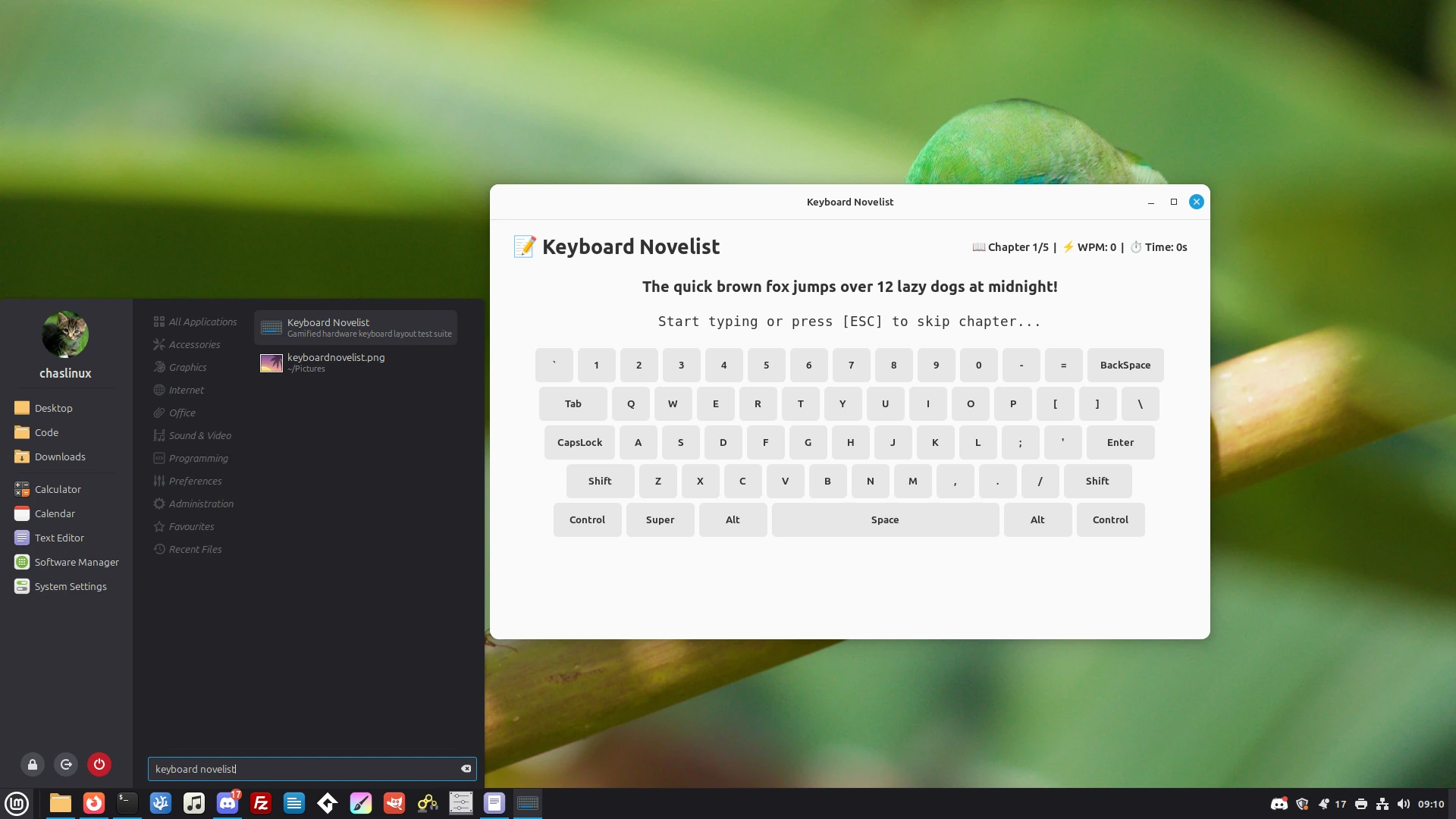
The result is Keyboard Novelist - GitHub Link. The idea behind Keyboard Novelist is that you type the phrase listed near the top, as quickly as possible, then hit return at the end. During each sentence the program tracks word per minute (WPM) and time. After 5 phrases the game is done and the application displays keys not covered by the test (the game does between 65-75% of keys depending on which phrases are typed).
The game is coded in Python 3 with GTK4 dependencies. There is an install.sh script in the repository that will install any needed libraries, and add Keyboard Novelist to a GNOME/XFCE menu. I haven’t tested this with other desktops yet. I wrote the application using xed, Builder, and Google’s Gemini chat bot (right from the search engine).
During the coding I found that I needed to ask Gemini to break up some of the code into 4 chunks because it couldn’t fit all the code into it’s cut-and-paste responses. Dividing code into chunks also really helped when it came to troubleshooting (of which there was quite a bit).
There was a particularly annoying audio issue that I finally solved, not by asking Gemini, but by looking through the install script and asking myself “why the bleeped did AI use wget to pull something that wasn’t even audio, as audio, when I had the audio sitting right in a sub-directory?” As I mentioned earlier, I don’t consider myself much of a programmer, but I can spot senseless things, and this was one of them.
Keyboard Novelist still has issues to work through, and I haven’t added it to our mint-extras.sh or hardware.sh script yet, but I think it’s kind of a novel way of solving an issue.